
Excel Addin - A superpower

Since Microsoft released I have made heavy use of a Excel Addin for Dynamics 365 for Finance and Supply Chain. It is really an amazing tool for performing bulk edits.
One of the issues that I see a lot when setting up DualWrite for customers, is that Customers have their own account number set as pointing to themselves
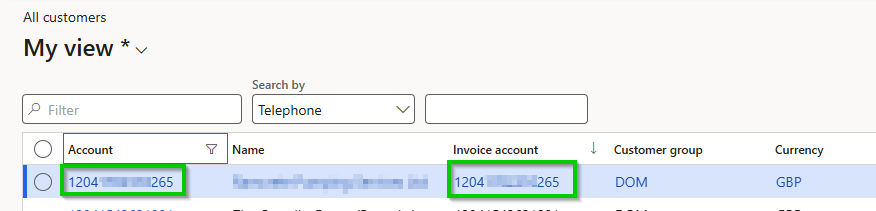
This is not an option since Dataverse does not allow circle references in a table. As far as I have understood (when asking my finance colleagues) emptying the invoice account field is not a problem, since the account defaults to itself as invoice account. The can however be accounts that have a different invoice account set, and those of course should not be removed.
I usually use Excel Addin to identify and remove the invoice account where it should be removed.
Open Customers in Excel
Create a Conditional Access Rule
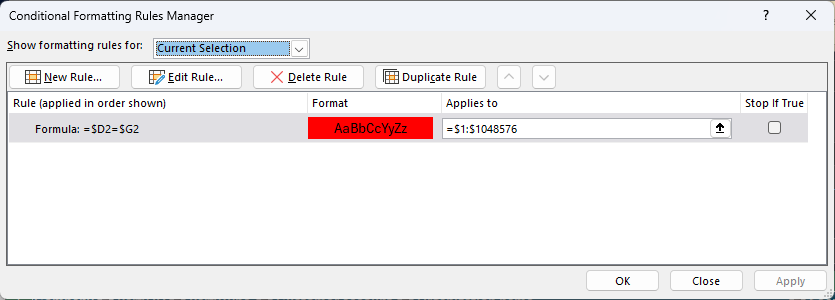
- From the Banner Meny go to Home - Conditional Formatting - Manage Rules
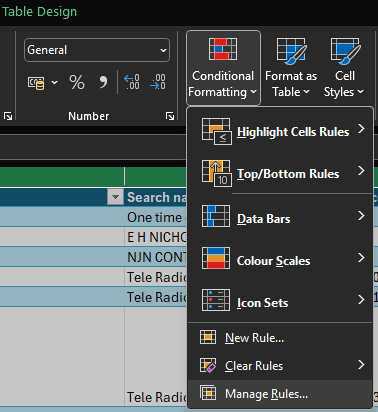
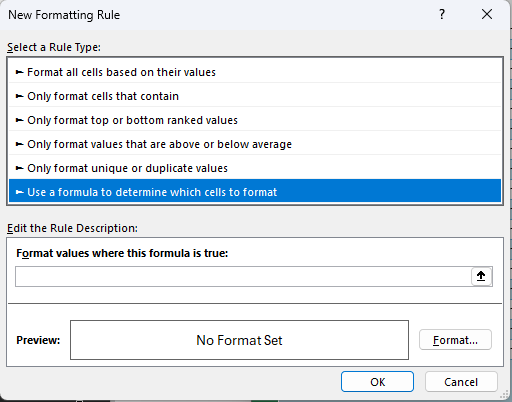
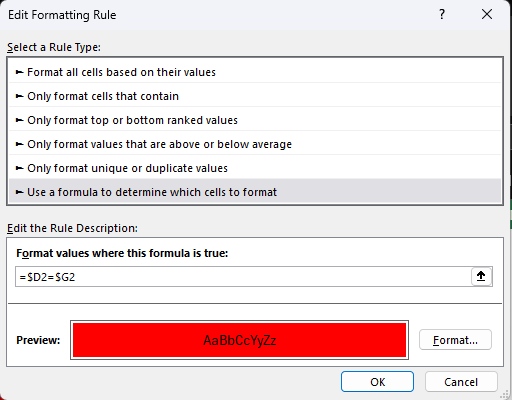
2. Click New Rule... Choose Use Formula to determine which cells to format
3. Enter the formula =$D2=$G2 and choose Format to change formatting to Fill with Red
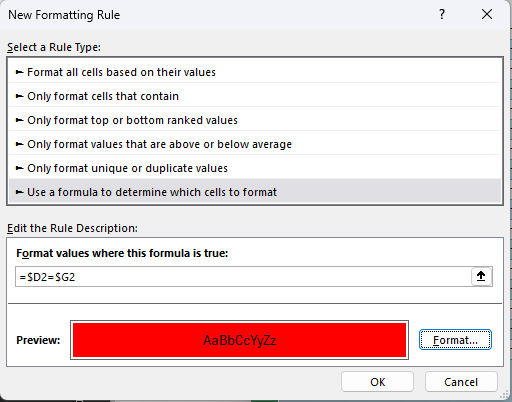
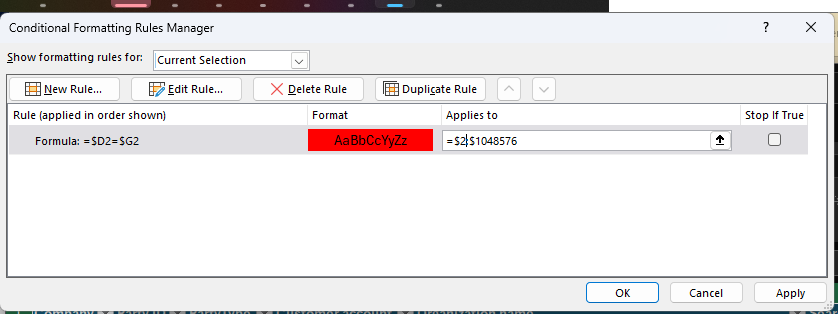
Change Applies to include all your rows (in my ca
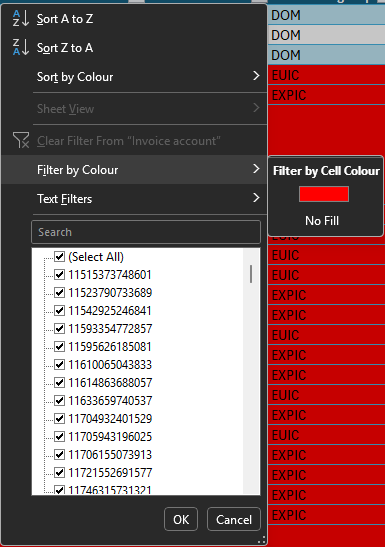
Filter by color
Delete the affected fields
Publish the data back to FnO