What is a Released Distinct Product

When you map products between Dyanmics 365 for Finance and Supply Chain and Dynamics 365 for Sales there are a couple of basic concepts that are important to think about.
Products
Product in FnO contains master data. It is also a global table, available in all Legal Entities. To sell a "product" we first need to release it in a Legal Entity. Dualwrite syncs these to the table msdyn_globalproducts.
Released Products
A Released Products, also known as an Item is a product that is released to a Legal Entity. In D365FO, Microsoft has created a custom entity that is used for syncing Released Products to CRM, called DV Released products. In the Dualwrite mapping, it is syncing to the table called msdyn_sharedproductdetails.
Released Distinct Products
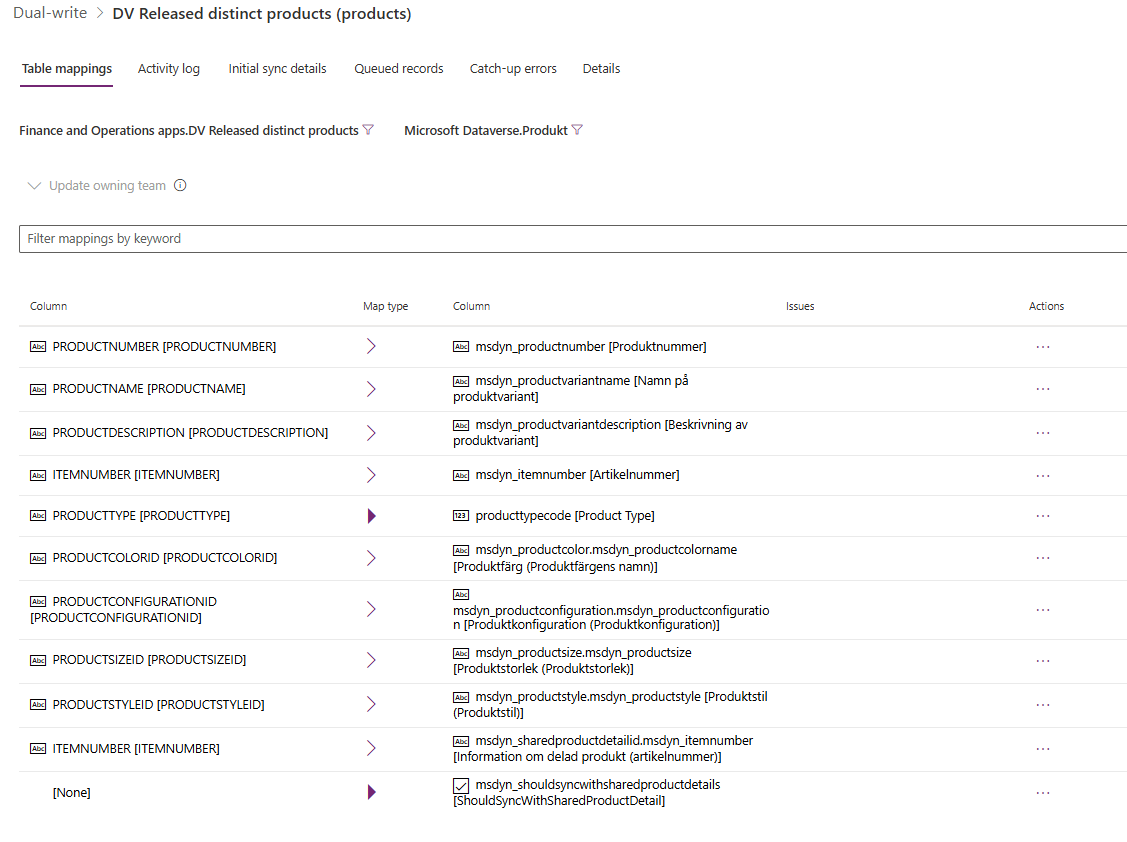
As you notice, none of the dataverse tables above, are native CRM tables for products (the hint here is the prefix msdyn_). Du to the difference in data structure between ERP and CRM, Microsoft created and additional Data Entity in FnO that we can sync more easily to CRM. DV Released distinct products is basically a copy of Released Products, with some added metadata such as Configuration, Color and Size.
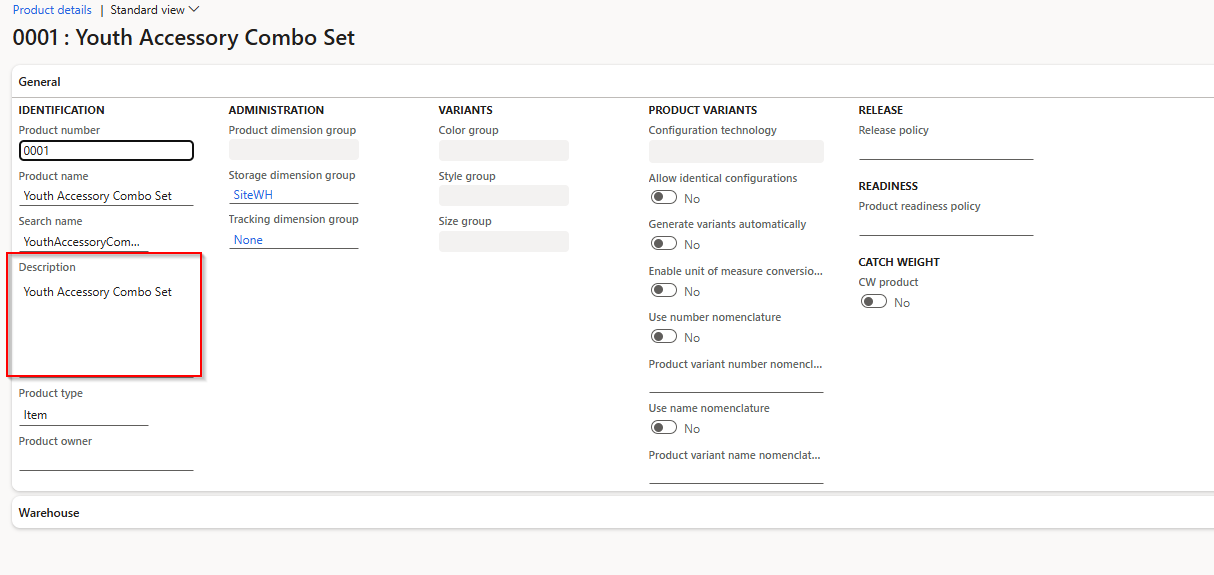
Sometimes when you set up Dualwrite, lines in the databases does not sync correctly in the Initial Sync and then you need to help them along a bit. In order to "touch" (edit them to force a sync) Products and Released Products in FnO you simply go to the UI for these in Product information management. There is no "workspace" for Distinct Released Products.
In order to trigger a sync of a Released Distinct Product to Products, you need to touch one of these fields:
The easiest is to go to Products (not the Released Product) in FnO and edit the Description Field. That will trigger a sync.