
Dual Write core application error-SecureConfig Organization (XXXX) does not match actual Dataverse Organization (YYYY)

We are working with a a couple of customers that are running Dualwrite to sync between ERP and CRM.
Today one of my colleagues called me and told me he could not create an account in an environment at one of these customers... he got a Dualwrite error 😮
Dual Write core application error-SecureConfig Organization (XXXX) does not match actual Dataverse Organization (YYYY)(the names have been changed to protect the innocent)
The weird thing is that this particular environment is not even connected with Dualwrite. It does not even have a D365FO app installed. It has however been refreshed from an environment that has Dualwrite active.
The best practice, when refreshing environments with Dualwrite is that you reset the Dualwrite configuration and activate all of the mappings again. The reset is done from within the FnO Dualwrite configuration screen:
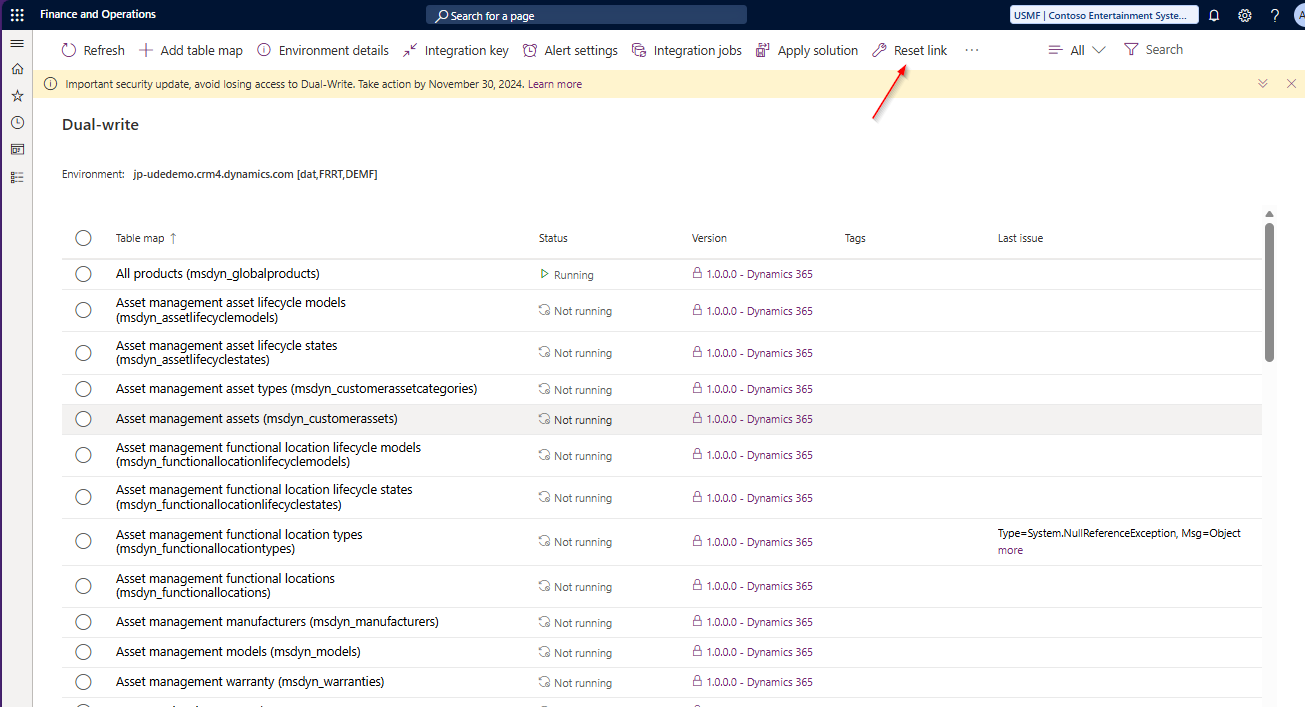
Since this environment does not have a FnO app, there is no way to reset the configuration. We need to do this the hard way :-)
To fix this, do the following:
1. Browse to https://make.powerapps.com and select the correct environment
2. Go to Tables, view all tables and find the table called Dual Write Runtime Configuration. This table contains the Dualwrite configuration. Usually when you are resetting the Dualwrite connection after a refresh this table is emptied.
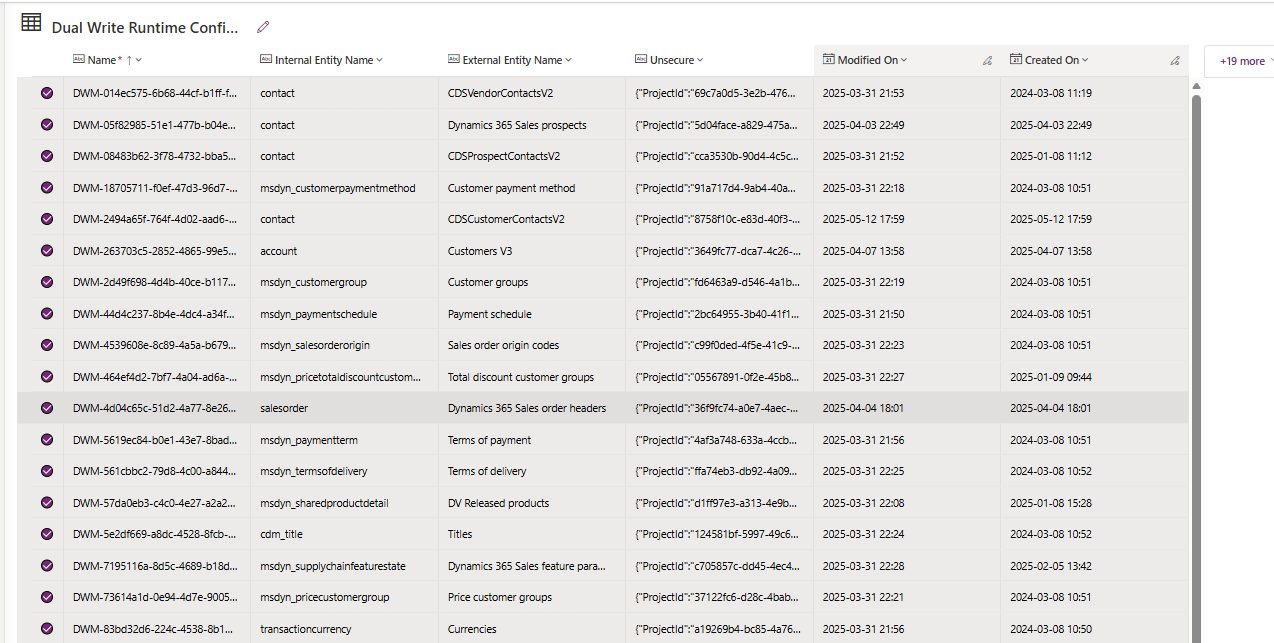
3. Open the table, select all the rows and delete them.
Links:
F&O 💙 Power Platform – Database Refresh – Carina M. Claesson
Dual Write - Organization does not match actual Dataverse Organization