• Network Level Authentication… på XP!

    En av mina kollegor kontaktade mig idag och sa att han försökte koppla upp sig mot vår labmiljö från kund… på en Windows XP maskin!!!!

    Problemet är att alla våra servrar är Windows Server 2008 R2 eller senare så de kräver Network Level Authentication för att tillåta uppkoppling, NLA är uppenbarligen inte aktivt på Windows XP som standard.

    Här finns en kort förklaring på hur man aktiverar CredSSP (vilket krävs för att NLA skall fungera) på Windows XP

    Länk:

    http://support.microsoft.com/kb/951608

    Johan

  • Check Hyper-V replication status using Powershell

    One of my colleges sent me this little snippet today for easily checking replication status on the VMs on our hyper-v host… I modified it for checking multiple hosts:

    Get-VMReplication -computername HOST1,HOST2,HOST3 | select-object lastreplicationtime, vmname, computername | Sort-Object -Property LastReplicationTime | ft -AutoSize

    /Johan

  • Running ASP on Windows Server 2012

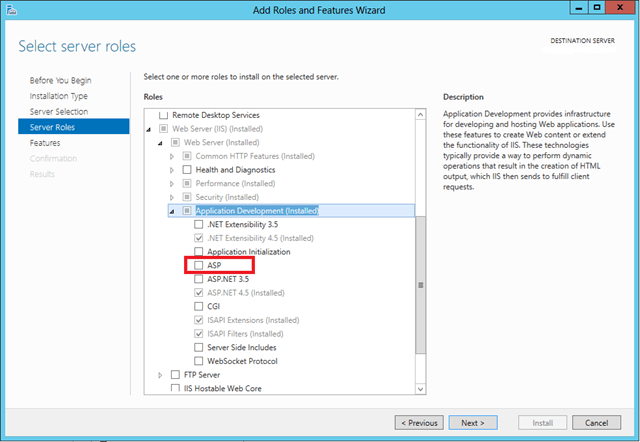
    I got a question today in running ASP pages in IIS 8 on Windows Server 2012… the person I talked to had looked around but did not find it…

    It is apparently under a heading called Application Development

    image

  • Continous file share are having problems with 8.3 names… Who doesn´t!

    Me and my colleague was troubleshooting a broken cluster today… apparently the new continous file share in Windows Server 2012 does not like the old 8.3 file name format. You can use fsutil to clean this up:

    fsutil 8dot3name query x: – Find out what the problem is

    fsutil 8dot3name set – Change the settings

    fsutil 8dot3name strip x: – Strip the old named

    Verify that you do this on all the nodes

    Links:

    http://workinghardinit.wordpress.com/tag/short-file-names/

  • How to monitor Windows 2008 R2 Servers from Server Manager in Windows Server 2012

    This will be a very short and sweet description on how to monitor Windows Server 2008 R2 from Windows Server 2012

    1. Start by installing .NET 4 Framework on the 2008 R2 Server
    2. Install Windows Management Framework 3.0 in the 2008 R2 server
    3. Run winrm qc in an elevated command prompt on the Windows Server 2008 R2 computer
    4. To be able to use BPA on the 2008 R2 server run Enable-PSremoting –Force from an elevated PowerShell prompt
    5. Done…
  • Back to basics – FSMO Roles

    Today in class I hade a student who had a Windows Server 2012 Essentials migration that did nor succeed. The reason was that the FSMO move did not complete.

    To list all the FSMO roles using NTDSutil:

       1: ntdsutil: roles

       2: fsmo maintenance: connections

       3: server connections: connect to server [TheNameOfYourDC]

       4: server connections: q

       5: fsmo maintenance: Select operation target

       6: select operation target: List roles for connected server

    To seize all the FSMO roles using NTDSutil:

       1: fsmo maintenance: Seize domain naming master

       2: fsmo maintenance: Seize infrastructure master

       3: fsmo maintenance: Seize PDC

       4: fsmo maintenance: Seize RID master

       5: fsmo maintenance: Seize schema master

    If you, like in this case, have a broken DC, remember to delete the object from AD Users and Computers and Sites and Services

    /Johan

  • Network Time Protocol

    Today I would like talk a little about setting up NTP sync in Active Directory… as you might know time is quite important in Active Directory because Kerberos is dependant on it. If the time difference is higher than 5 minutes (default setting) you will not be able to log in

    I visited a customer today who had a problem which meant that they could not set up NTP sync…

    We used these commands to verify operations on the PDC emulator:

       1: w32tm /query /status

       2: w32tm /query /peers

       3: w32tm /query /configuration

    Apparently it used local CMOS clock as a time source, so we set up external NTP peers

       1: w32tm /config /syncfromflags:manual /manualpeerlist:"0.se.pool.ntp.org,0×1 1.se.pool.ntp.org,0×1" /update /reliable:yes

    … which did not help, we then did a reset of the time server settings on the PDC emulator:

       1: net stop w32time

       2: w32tm /unregister

       3: w32tm /register

       4: net start w32time

    We the registered the new NTP peers:

       1: w32tm /config /syncfromflags:manual /manualpeerlist:"0.se.pool.ntp.org,0×1 1.se.pool.ntp.org,0×1" /update /reliable:yes

    The server still reported that it synced from the local CMOS clock. After some looking around we found that there was a policy setting in the Default Domain Policy which disabled the NTP Client. You will find this setting in Computer Configuration – Administrative Templates – System – Windows Time Service – Time Providers and it is called Enable Windows NTP Client. So I changed it and refreshed the group policy and that did the trick

    To set up the rest of the DCs to use the PDC emulator as a time source you use this command

       1: w32tm /config /syncfromflags:domhier /reliable:no /update

    To enable and disable debugging of NTP use:

       1: w32tm /debug /enable /file:C:\Temp\w32tmdebug.log /size:10485760 /entries:0-300

       2: w32tm /debug /disable

    To resync the computer with its time source use:

       1: w32tm /resync

    To compare your NTP servers time with an external time source

       1: w32tm /stripchart /computer:0.pool.ntp.org /samples:5 /dataonly

    Finally you also need to verify that your server is able to communicate to the timeserver using UDP port 123

    Links

    http://technet.microsoft.com/en-us/library/cc794937(v=ws.10).aspx
    http://technet.microsoft.com/en-us/library/cc816748(v=ws.10).aspx
    http://technet.microsoft.com/en-us/library/cc816838(v=ws.10).aspx
    http://technet.microsoft.com/en-us/library/cc780011(v=ws.10).aspx
    http://blogs.technet.com/b/askds/archive/2008/11/13/configuring-an-authoritative-time-server-with-group-policy-using-wmi-filtering.aspx
    http://kevingreeneitblog.blogspot.se/2011/01/hyper-v-time-synchronization-on-windows.html

  • AD Powershell FSMO Removal

    If you want to remove all FSMO roles from a server:

    Move-ADDirectoryServerOperationMasterRole -Identity Magneto -OperationMasterRole RIDMaster,PDCEmulator,SchemaMaster,InfrastructureMaster,DomainNamingMaster

    /Johan

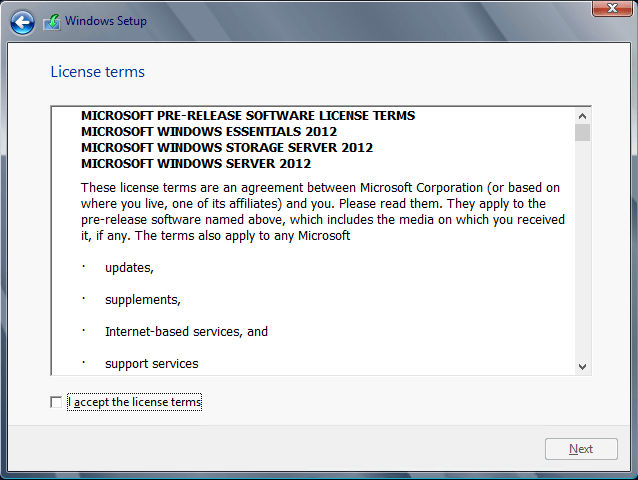
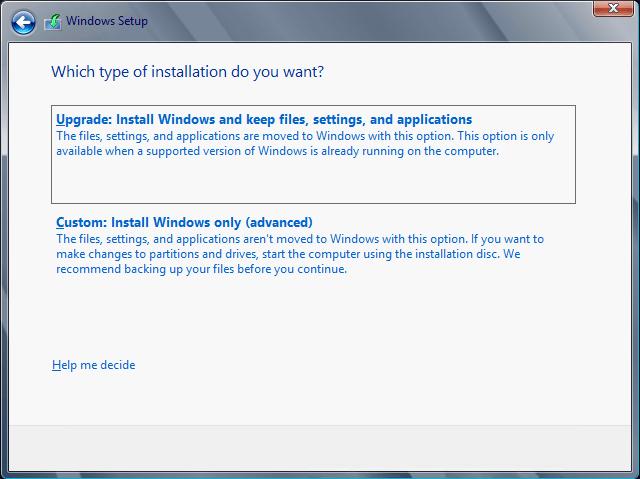
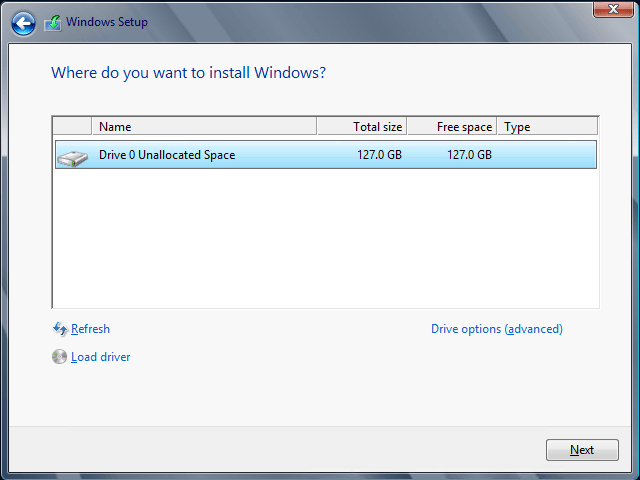
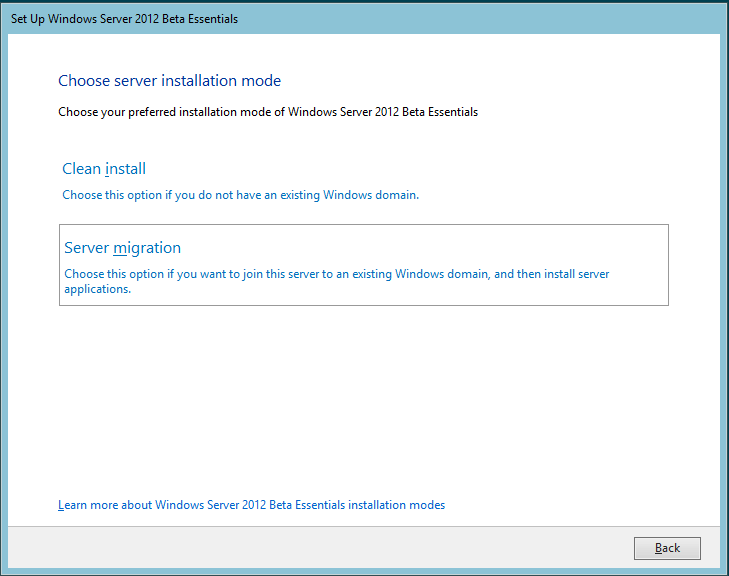
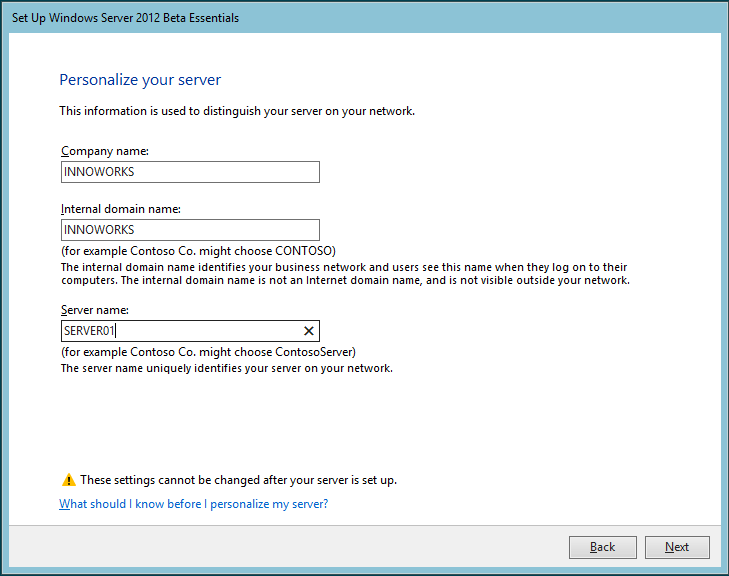
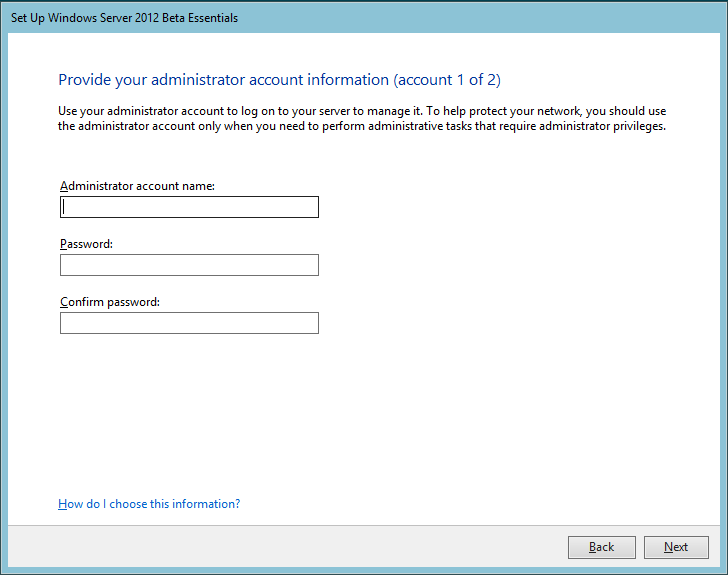
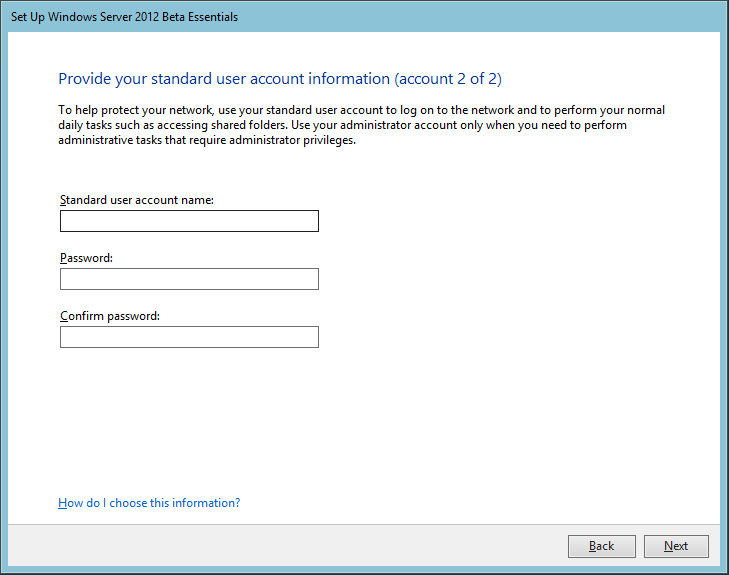
  • Installing Windows Server 2012 Essentials

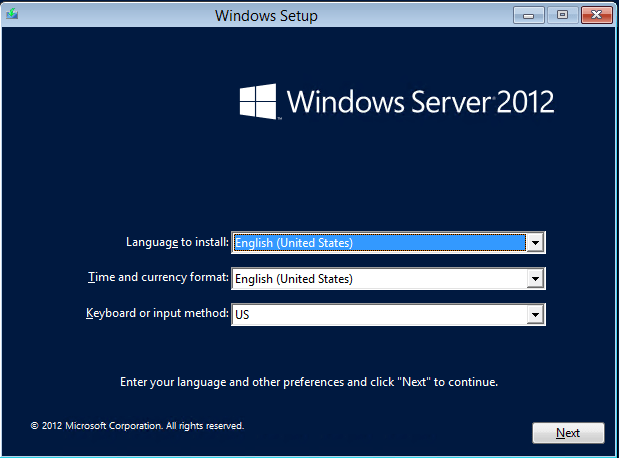
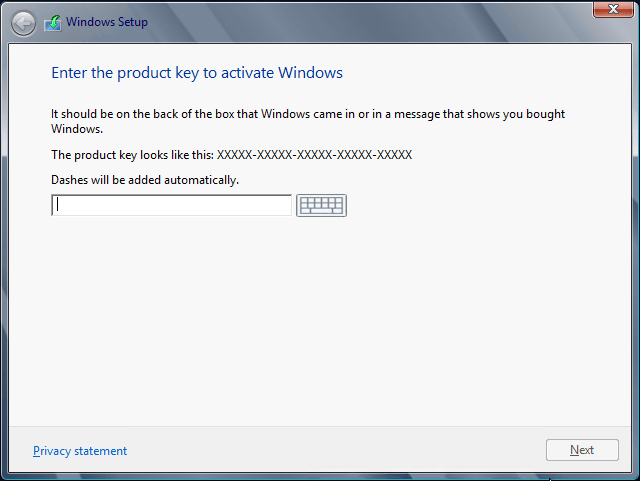
    Microsoft has released a public beta version of Windows Server 2012 Essentials. Today I am going so show you the setup experience. The first screens are exactly the same as Windows Server 2012.

    image       image

    image       image

    image        image

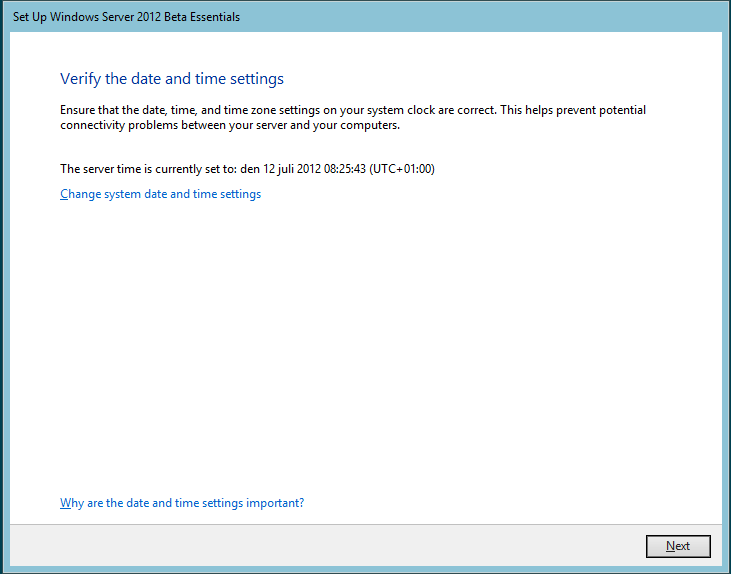
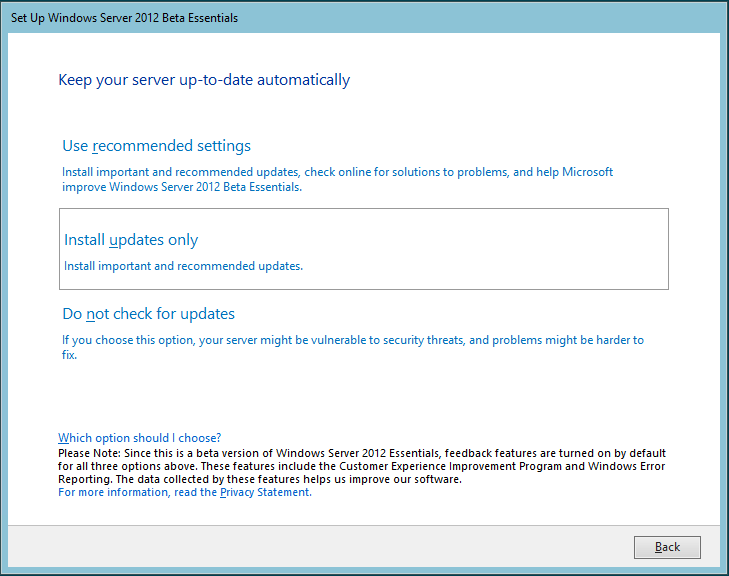
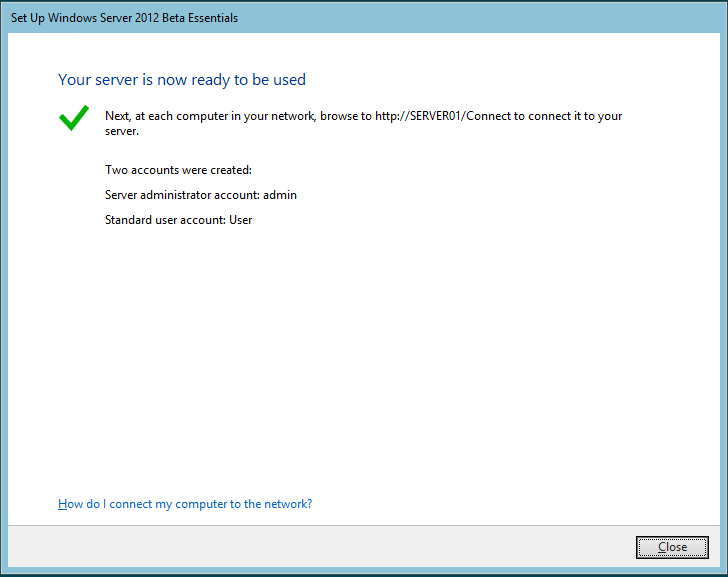
    So, when the Windows install is done we kick off the Essentials part.This looks very much like the old SBS/SBSE install.

    image         image

    One difference is that we now have a GUI for migrating to Essentials. I will go into more detail on this a little bit later.

    image          image

    image          image

    image

    The setup is now down. I will continue in the next post with the configuration.

  • Server 2012 Licensing Changes

    Microsoft just released the Licensing for Windows Server 2012. This is a write up as far as I have understood so far. Just to clarify… this is my interpretation and I will of cource edit it if I find out I missed something or got something wrong.

    Here are some of the changes

    Editions

    Windows Server 2012 Standard
    Windows Server 2012 Datacenter
    Windows Server 2012 Essentials
    Windows Server 2012 Foundation

    As you can se this is a great simplification. The differences between Standard and Datacenter is only the virtualization rights. Both versions will be licensed per 2 CPUs. You can add additional standard server licenses to a Standard virtualization server to add more virtualized servers. This also means that you cannot license an OS to a Virtual machine.

    Virtualization Rights

    Standard will get 1+2 (2008 R2 was 1+1) and Datacenter will get 1 + infinite (just like before). This also means that you will not be able to mix the two license forms on the same box. You have the right to downgrade the license for a virtual machine but you will still have to be completely licensed for the physical box. This means that you get to use for instance a Windows Server 2008 R2 instance but it will have a Server 2012 license.

    Windows Server Essentials

    This the new version of Windows Small Business Server Essentials. It has the same limitations. The SBS Standard Server has been discontinued instead there will be an option to upgrade the server to standard when you reach the 25 user limit. You will also be able to add an Exchange server on premise but then you will have to buy en additional Windows License, an Exchange license and Exchange CALs. The Premium Edition has also been discontinued. The same thing holds true here as in the Exchange case, you will have to buy and additional server license, SQL license and SQL CALs. If you want both Exchange and SQL and it is OK to virtualize them on the same hardware you will only need one Server OS license since you with each license get 2 virtualized instances.

    UI will be back with more information in this and Windows Server Foundation as soon as I know more…

    Windows Server Web Edition

    Windows Server Web Edition has also been discontinued which means that you will have to use the standard edition instead. The CAL waiver that applied to web applications on Web Edition is also present in standard as long as the server is only used as a Web Server.

    Pricing

    Edition Ideal for…
    High Level Feature
    Comparison
    Licensing Model Pricing
    Open NL (US$)
    Datacenter Highly virtualized
    private & hybrid
    cloud environments
    Full Windows
    Server functionality
    with unlimited
    virtual instances
    Processor + CAL* $4,809**
    Standard Low density or non-
    virtualized
    environments
    Full Windows
    Server functionality
    with two virtual
    instances
    Processor + CAL* $882**
    Essentials

    Small business
    environmentsSimpler interface,
    pre-configured
    connectivity to
    cloud based services; no
    virtualization rightsServer (25 User
    Account Limit)$425**

    FoundationEconomical general
    purpose serverGeneral purpose
    server functionality
    with no
    virtualization rightsServer (15 User
    Account Limit)OEM Only

    *CALs are required for every user or device accessing a server directly or indirectly. See the Product Use Rightsfor details.

    **Pricing represents Open No Level (NL) ERP. For your specific pricing, contact your Microsoft reseller.

    Reference

    http://download.microsoft.com/download/4/D/B/4DB352D1-C610-466A-9AAF-EEF4F4CFFF27/WS2012_Licensing-Pricing_FAQ.pdf

    http://www.microsoft.com/en-us/server-cloud/windows-server/2012-editions.aspx