
Accessing DualWrite Settings

Today a colleague of mine reached out. He was validating having issues with DualWrite with a customer. When he entered the management page from D365 Finance and Supply Chain he saw this:
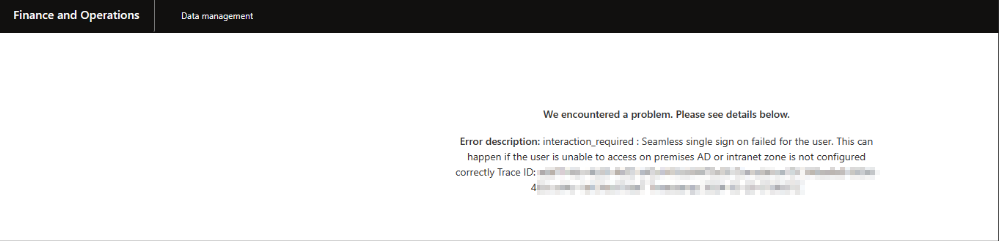
The easiest way to get access to Dataverse is to make sure you access it with an account in the customers own Entra ID tenant, otherwise you make dataverse all confused.
- Start Microsoft Edge in Inprivate mode or create a new profile.
- Go to http://make.powerapps.com/ and make sure that you have access to the correct environment. This step also has another benefit.
Sometimes the Single Sign-On between Power Platform and Dynamics 365 for Finance and Supply Chain does not work correctly and the login to the Maker Portal ensures that you already have a valid Authentication Cookie before you go to the DualWrite Management Page in FnO. - Go to the DualWrite Management page in D365FO and verify.
- If it is still not visible: Ask a person with System Admin Permissions to Dataverse to give you the permissions System Administrator and System Customizer and then go to https://aka.ms/ppac to verify that you have access.
Disclamer: There are other security aspects to take into account, when you log into a customer account on your computer... these are not in focus here, and I am not a security specialist. My considerations here are purely functional.
Good Luck