
Enable vs Enabled Features

I have learned that it is important to read the fine print... otherwise you will miss things. This happened to me and a colleague the other day.
In Dynamics 365 for Finance and Operations, Microsoft add new features all the time. These are controlled in Feature Management workspace where you can also read up on the new features to understand important impact.
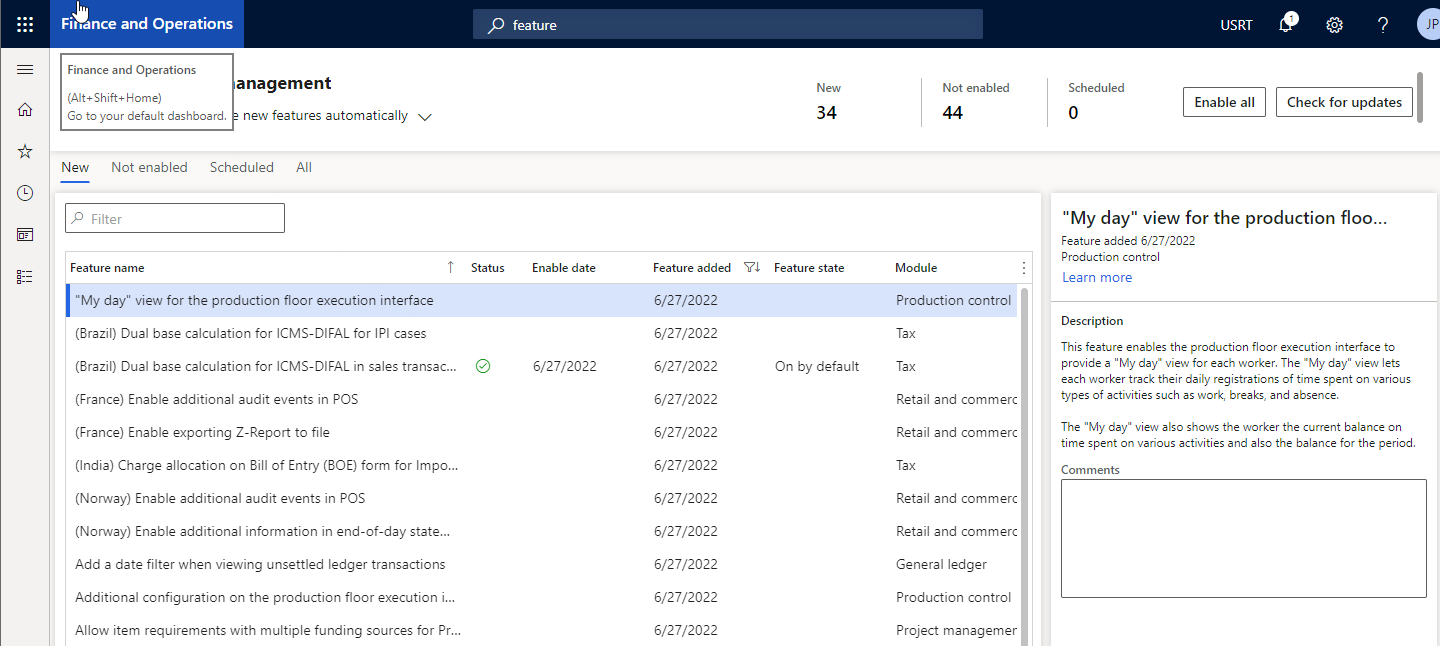
A cool feature is that there is a Data Entity in the Data Management Framework which exports and imports the feature set for a given environment and enables moving feature settings from one environment to another making easier to manage the lifecycle of your features and sync them with for instance releases
Now comes the part that I completely missed (which in hindsight is quite obvious):
There is a column called Enable Date, which I thought meant "The date the feature was enabled", what it actually means "The date the feature is enabled"... notice the subtle difference?? I did not :-(
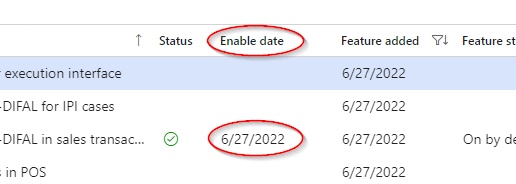
What the column actually does is to set a schedule for when the feature will be enable. When you use DMF to import a list of feature settings with this field set means that you will schedule the enablement of the feature. It is a great feature but might cause some issues if you are not aware of it. Especially for features that can not be turned off.
Remember: Read and understand the fine print