
Downloading the Teams recording for a Live event

Last week we ran a webinar for some customers using Teams Live Events (which is awesome once you learns all the ins and outs). The event is later going to be edited and uploaded online. For that we need the file.
To download the file, start Teams and Open the meeting from the calendar view.
Go to the Live Events Resources - Recording and click the download symbol
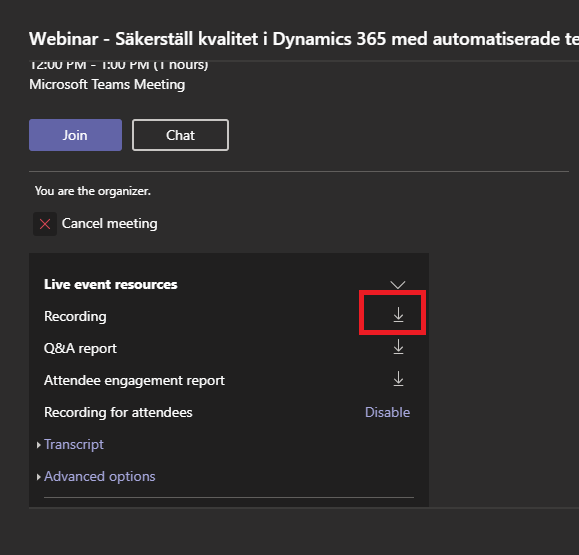
This is the recorded mp4 file in 1280 x 720
That is it
Johan