Issues with blocked cookies in Chromium Edge

I have an issue with cookies… And I do have an issue with real cookies… especially oat cookies… but we will not go into that today.
Today we are talking about browser cookies. Sometimes they are sort of creepy and sometimes they are absolutely essential for things to work. I ran inte one of the latter this week and I thought I had allowed all cookies for the specific site. Turns out I did not.
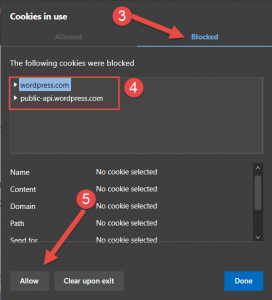
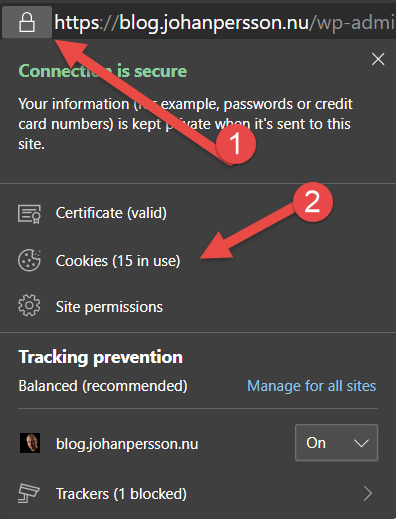
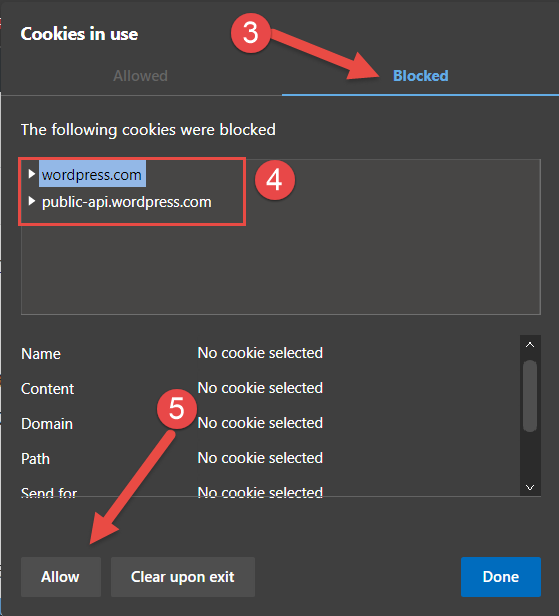
The site in this case is a customers help desk system and I had added the domain but I still got an error saying I needed to enable cookies. In order to find which cookies to allow you just do the following:
- Click on the padlock to the left of the adress bar
- Select Cookies
- Go to Blocked
- Select the items in the list one-by-one
- Click Allow