
Error importing Electronic Reporting Configurations

Hi…
Today we are looking at an issue that one of my colleagues had. This is actually an Application issue but I am writing it up for future reference.
When we are importing Electronic Reporting configuration in Dynamics 365 for Operation we get the following error:
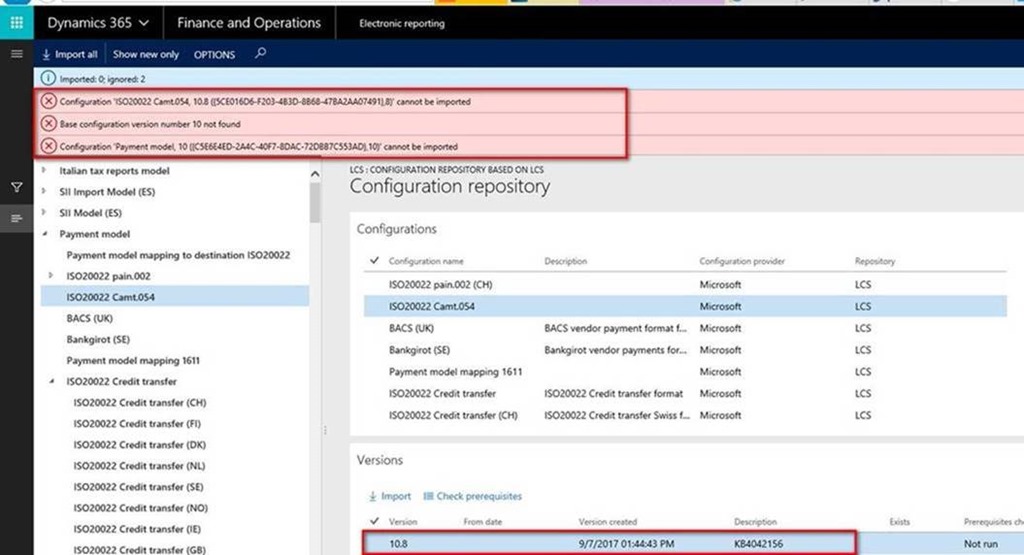
Since it is a bit intermittent and works for some configurations we have suspected a timeout… we were on the right track… When speaking to Microsoft Support we got the tip to change a parameter in the configuration for Electronic Reporting to allow more multiple parallel threads for loading data:
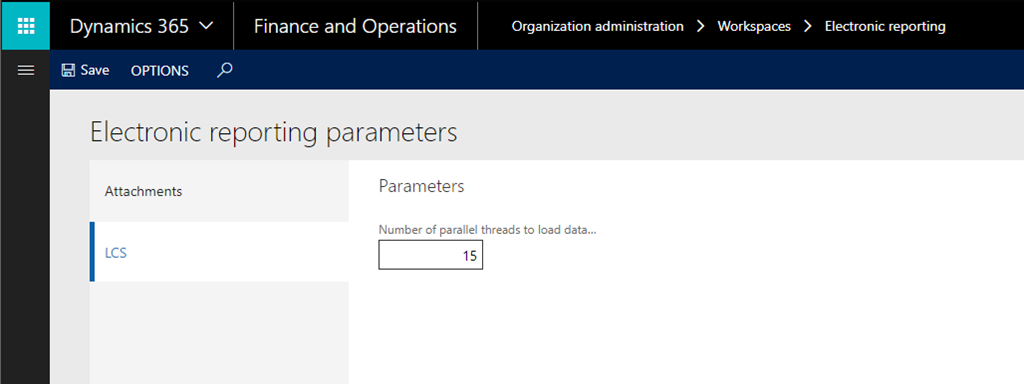
Go to Organization administration – Workspaces - Electronic reporting – Electronic Reporting parameters and change Number of parallel threads to load data to 15 (the default is 5)
BR
Johan