


Today I have played around a little with Azure Site-2-Site VPN… I do not have a high-end (or for that matter low end) Cisco firewall to test with so I set it up in my lab firewall which is running pfSense.
First of all you need to create the VPN settings in Microsoft Azure
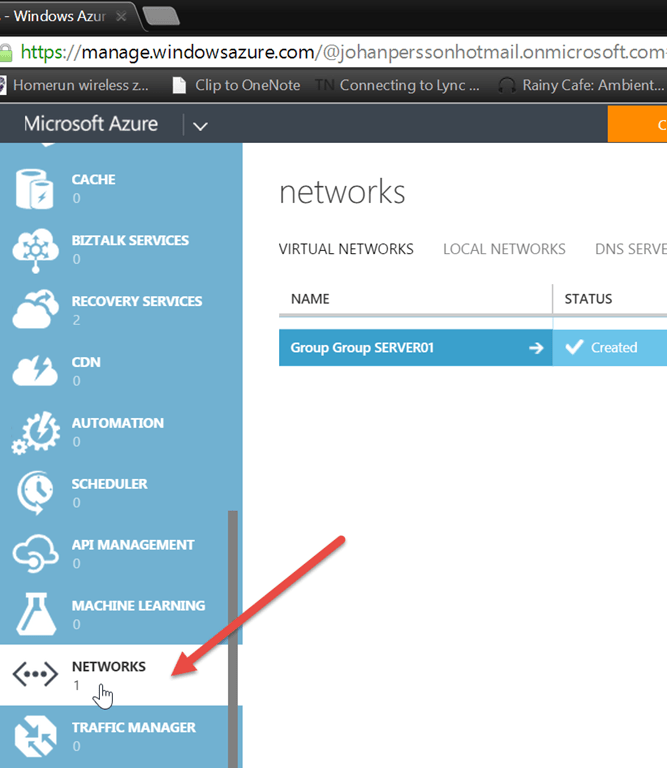
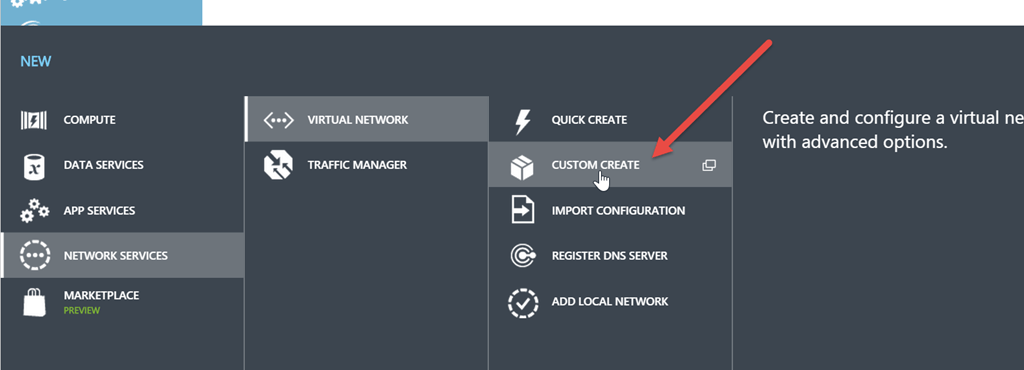
We start with creating a new virtual network
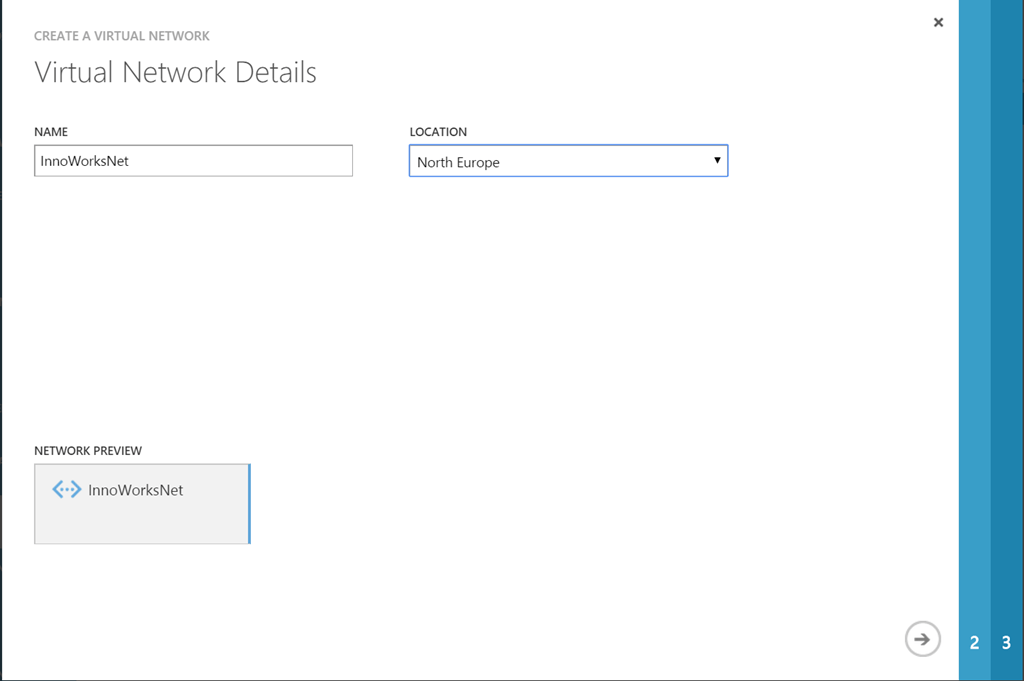
First we name the network and select the region
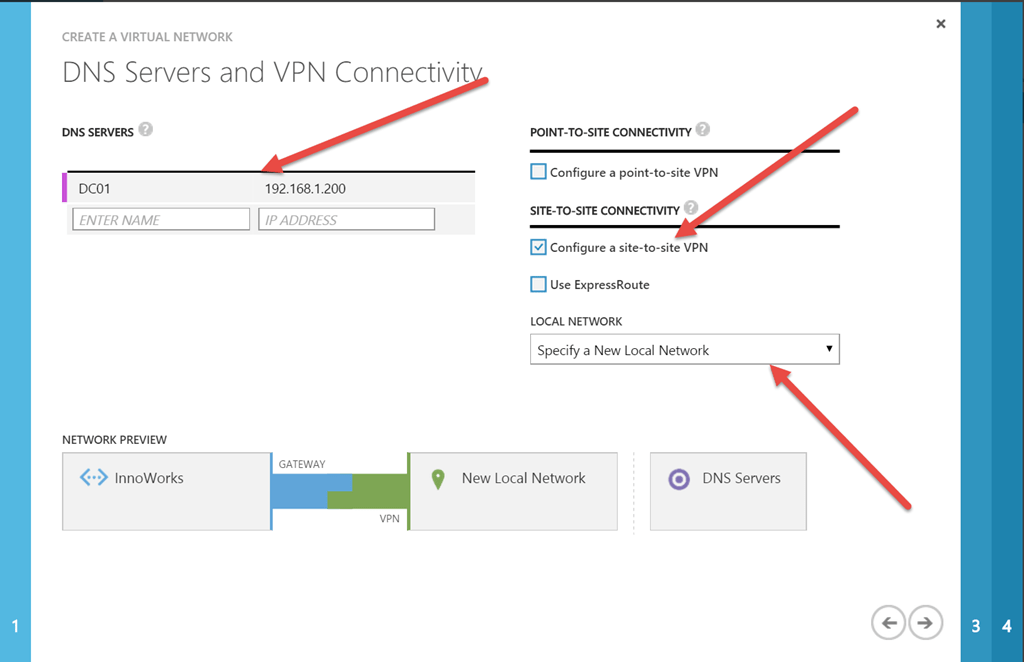
Then we add an internal DNS server. These are used to let our servers in Azure resolve DNS names in our internal environment. We also select that we will use site-to-site VPN and that we want to specify a new local network
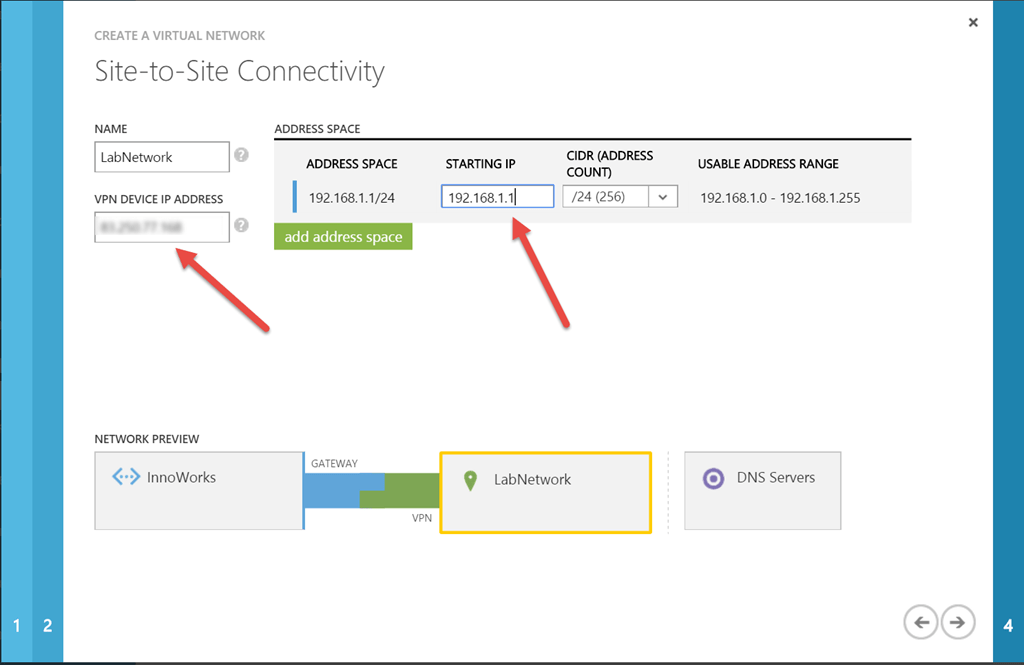
We now have to specify our on-premise network which in my case is 192.168.1.0/24 and the gateway to my network (the external IP of my firewall)
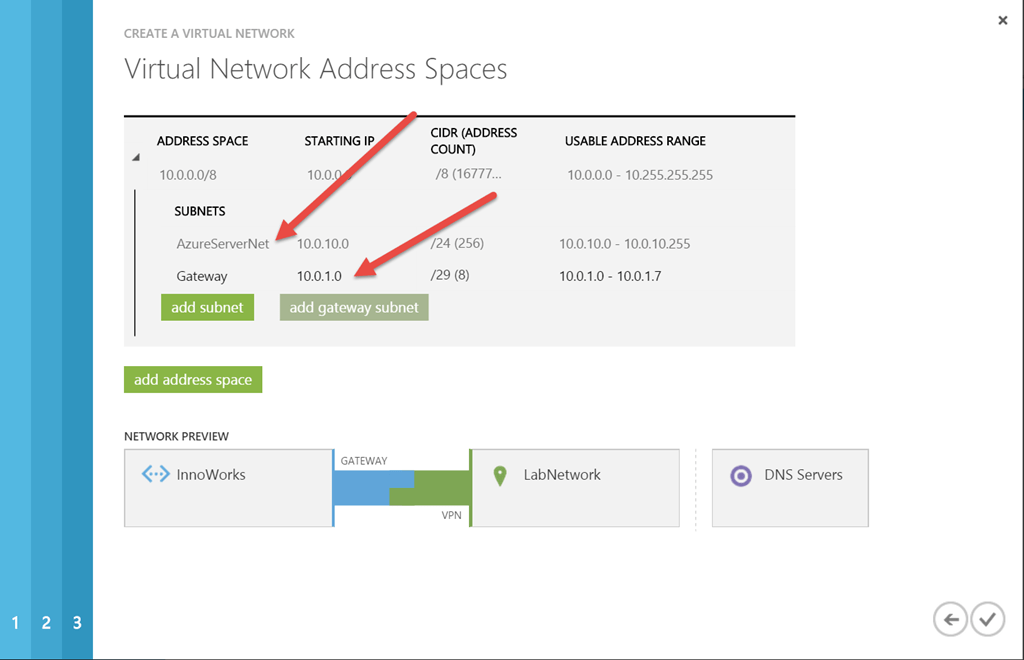
We need to set up the new subnet and the gateway subnet
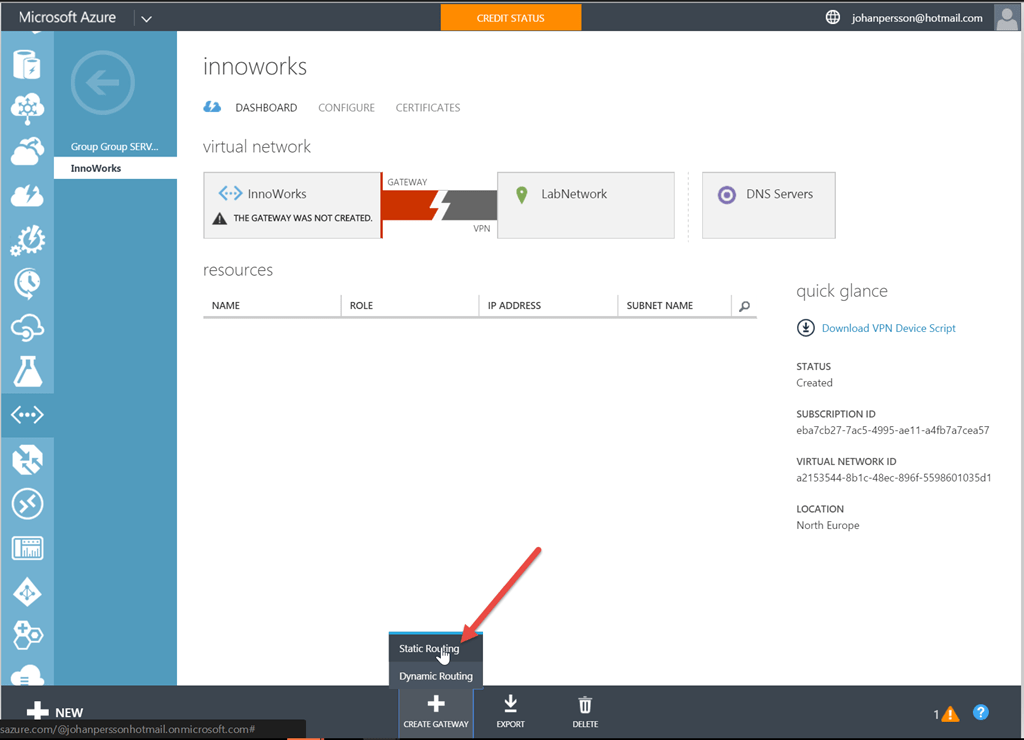
When the network is done we have to create a gateway network. This will take a while. You only need to use a Static Routing Gateway since you will only have a single endpoint.
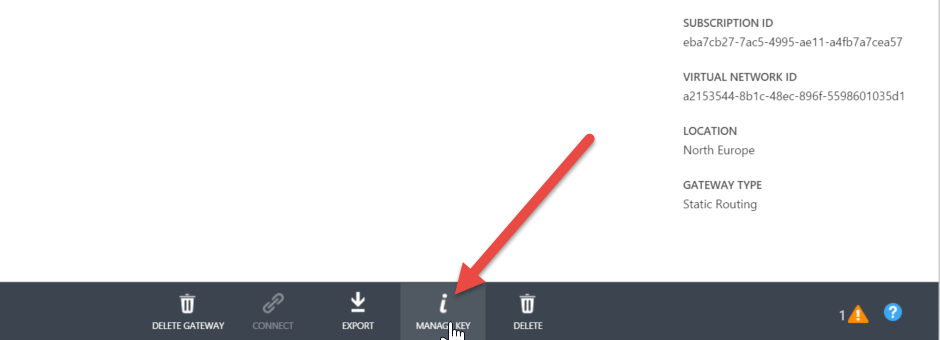
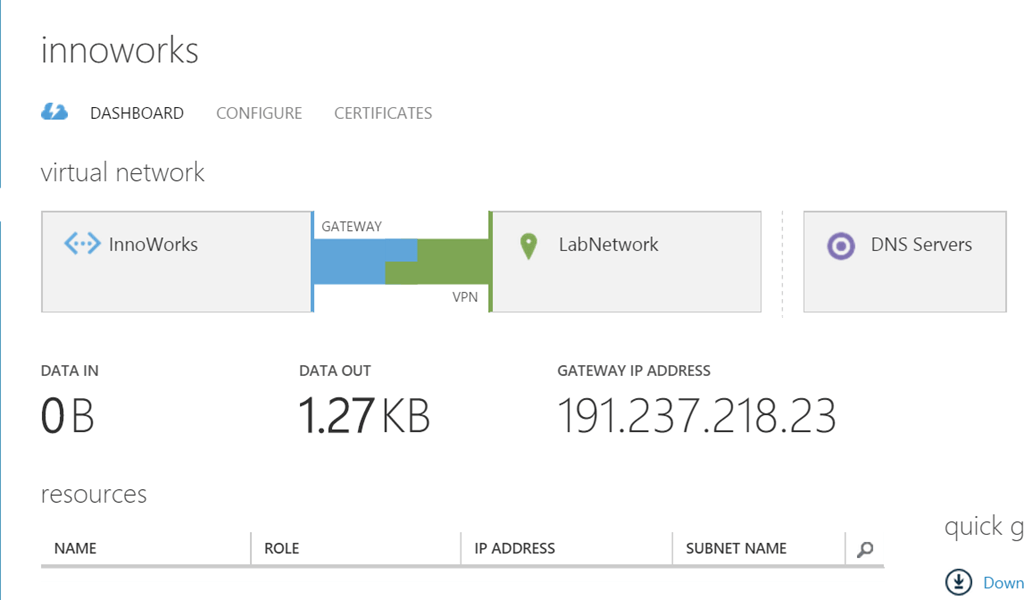
When the gateway is created we can see that Azure is trying to connect… so we will need to set up the other side
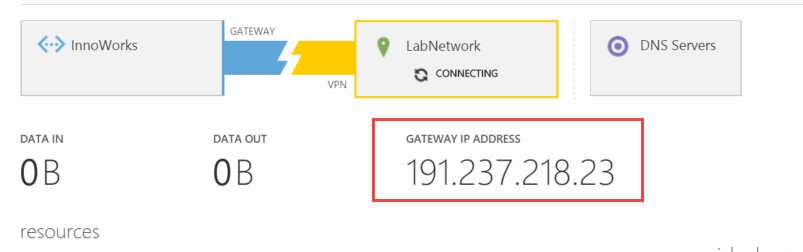
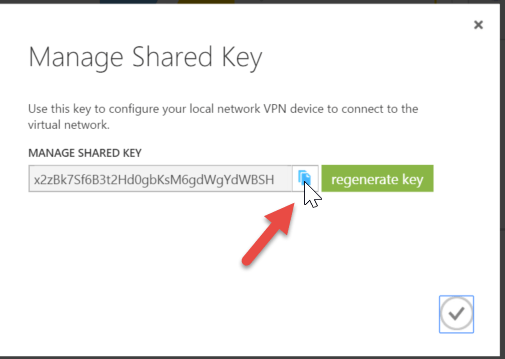
For that we need to take note of the pre-shared key and the gateway address so we can enter them into pfSense. Take note of the gateway and then click Manage Key and copy the key
The last thing to do is to set up the pfSense configuration. Log on to the pfSense web interface and goto VPN – IPsec and enable IPsec.
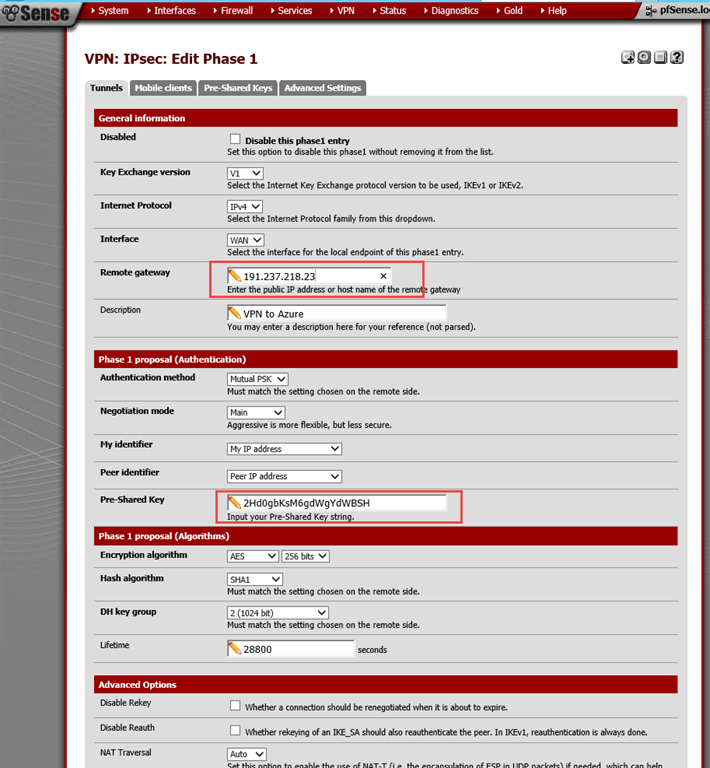
We start with creating the phase 1 part of the VPN tunnel. Create a new one and add the Azure gateway and the key.
Now we need to set up phase 2 of the IPsec tunnel.
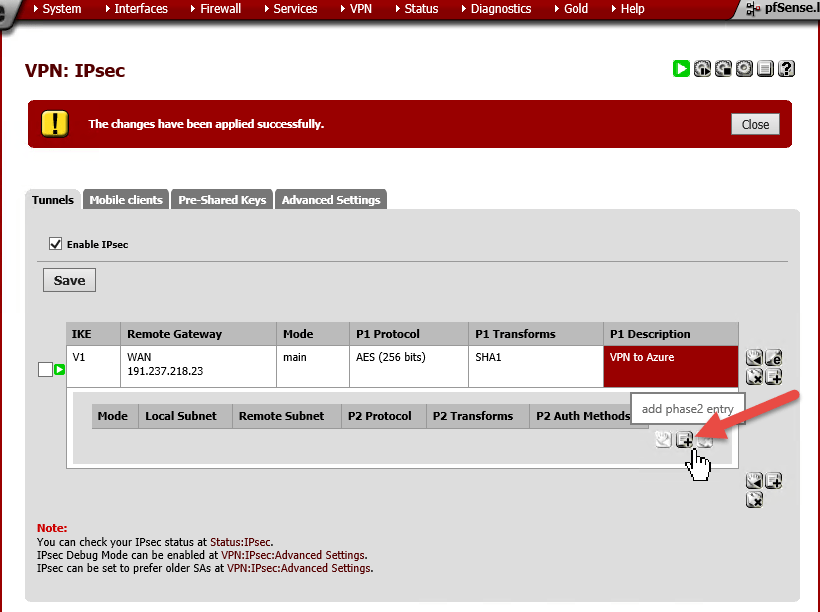
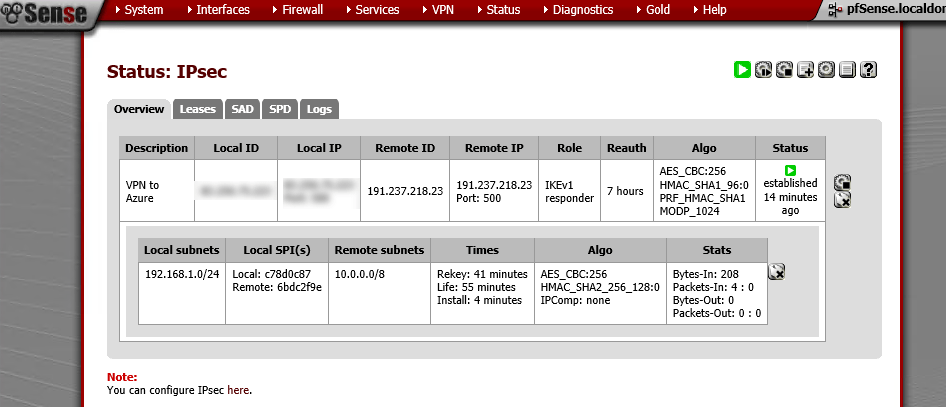
First we add the local subnet (in my case 192.168.1.0/24) and then we add the remote sublet in Azure. Note that this is the complete adress space and not just the server network (in my case 10.0.0.0/8). Also verify that you are using AES as encryption algorithm and AES 256 as hash algorithm.
![image[63]](https://i0.wp.com/blog.johanpersson.nu/wp-content/uploads/2015/02/image63.png?resize=565%2C439 "image[63]")
The VPN is now up and running and you can verify in Azure
And in pfSense (go to Status – IPsec)
Now you can set up a virtual machine on Microsoft Azure and connect it to your Azure Server Network and they will be accessible from your onpremise network.
Links:
https://knowledge.zomers.eu/pfsense/Pages/How-to-connect-an-Azure-cloud-to-pfSense-over-IPSec.aspx
https://www.youtube.com/watch?v=OKVgIaFg1Z4